









移动应用
910
推荐Android开发者将现有项目迁移到Android Studio环境,并在Android Studio下更快地实现SDK的集成工作。
本文档介绍Android Studio和Eclipse开发环境下导入SDK资源进行集成的步骤,需要仔细阅读文档和Demo工程。
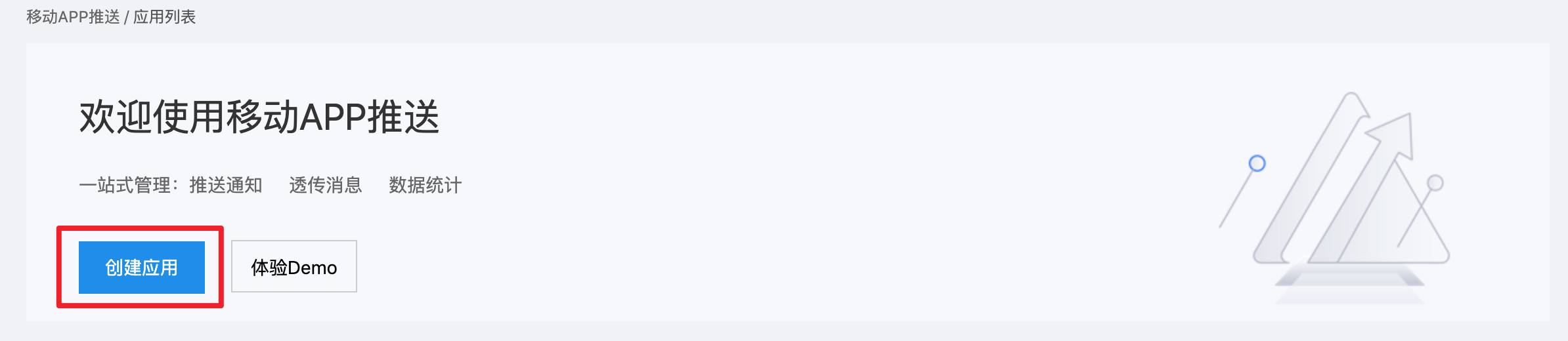
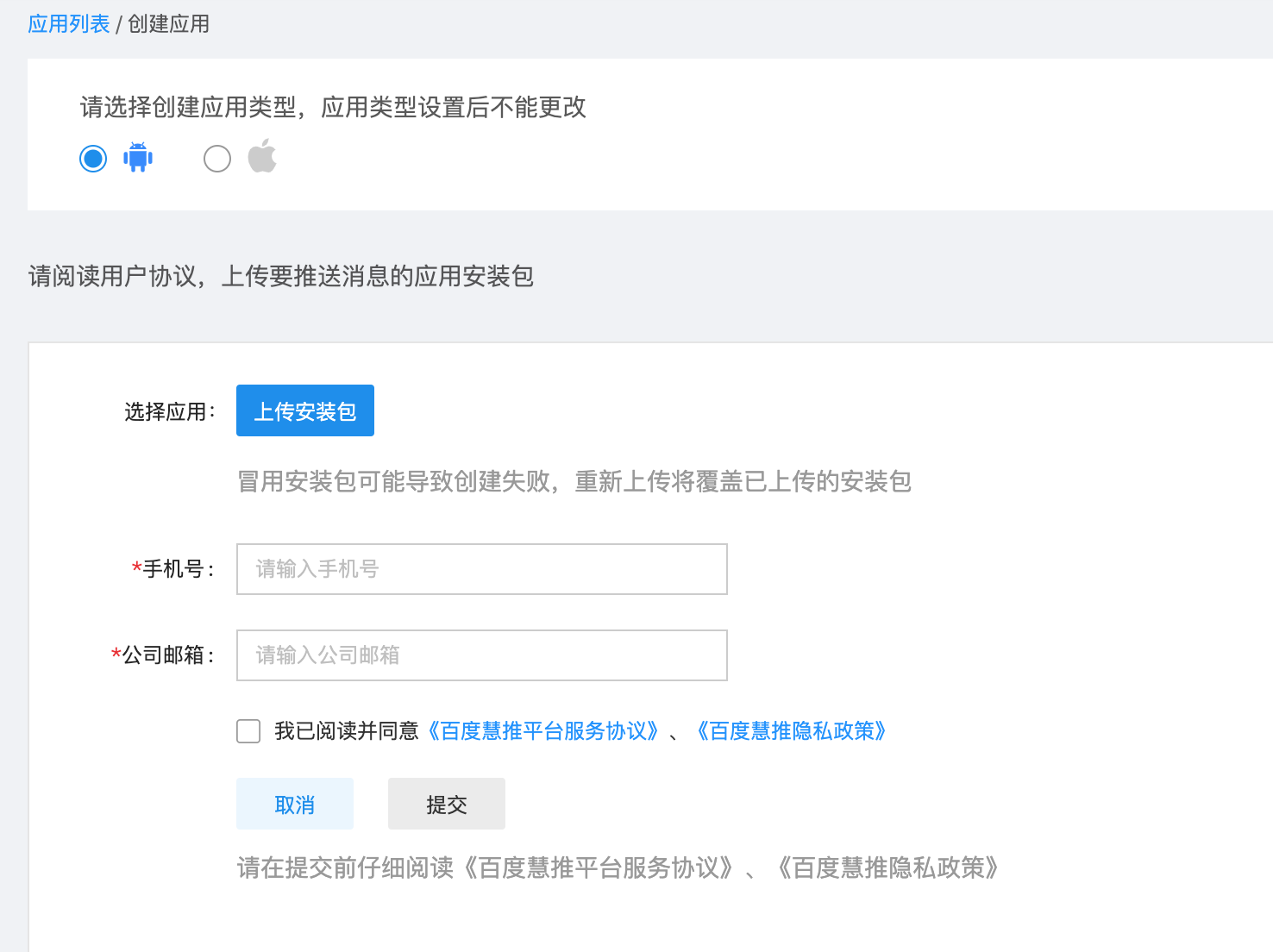
1、 登录百度慧推,点击创建应用使用带有签名的apk包上传创建应用;
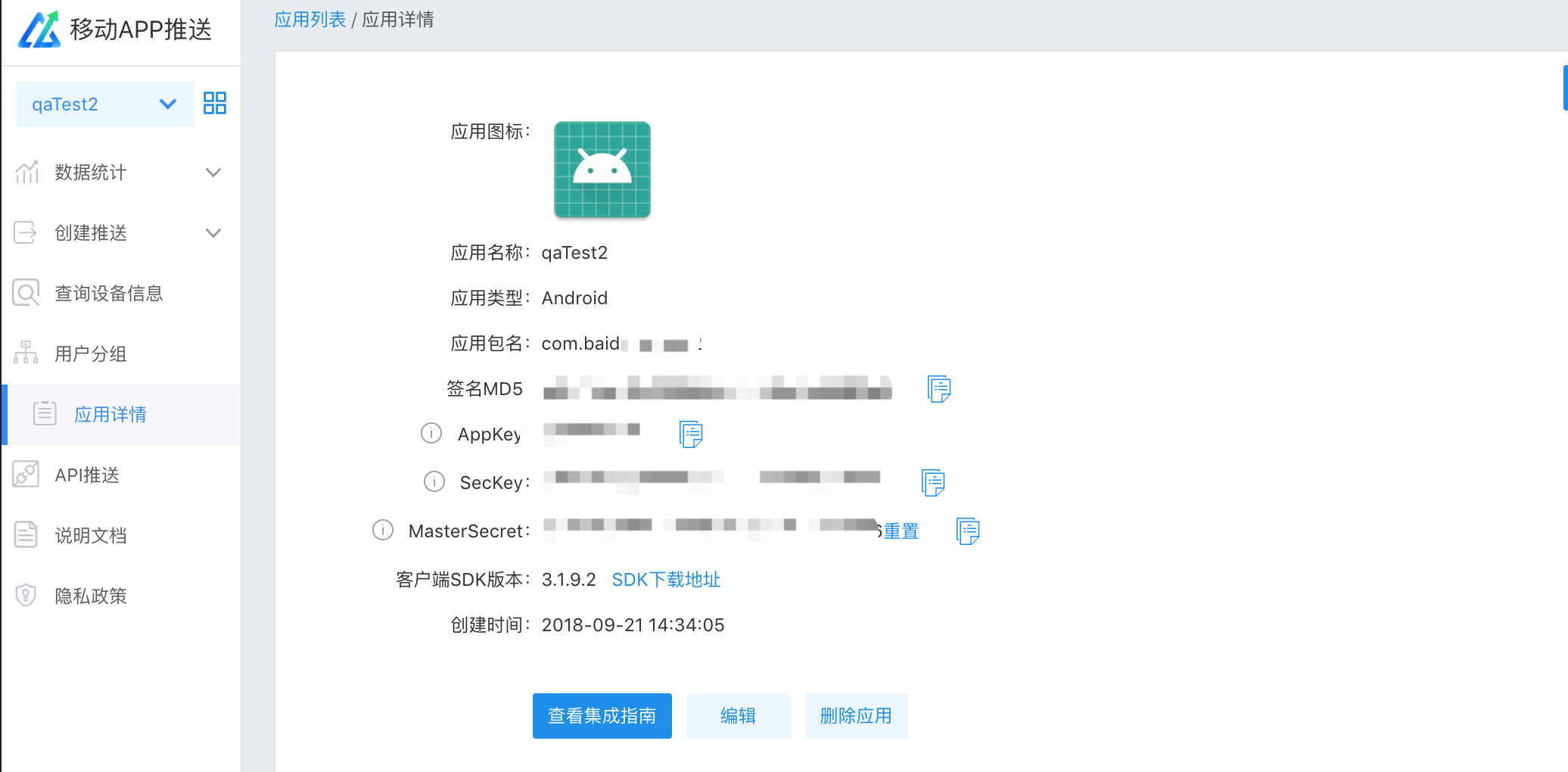
2、 创建成功后,将返回应用列表,可在应用详情页查看和获取AppKey、SecKey,集成sdk的时候会用到这些信息
获取sdk并解压
SDK下载地址:https://cloud.baidu.com/doc/SPP/s/qjwvxj91t
拿到SDK后进行解压。
导入SDK
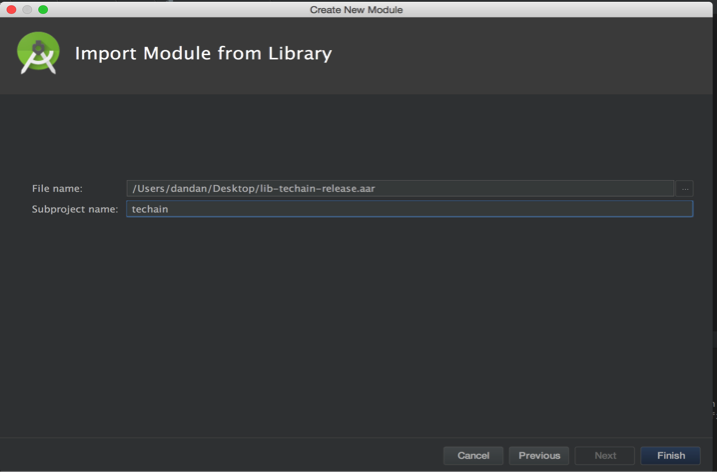
创建一个新的Module,导入SDK中取出的AAR文件,这里以techain*.aar为例,module取名:techain(名称任意,这里只是举例),如下图所示: 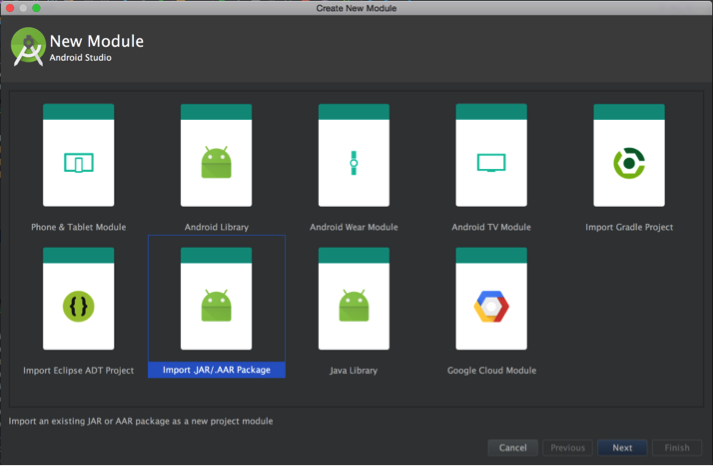
在自己项目的build.gradle中添加依赖,引入techain依赖,然后sync。
dependencies { ... compile project(':techain') ... }
so包相关:aar包中包含了armeabi,armeabi-v7a,arm64-v8a,x86的so包,如果集成的App自身兼容的abi种类少于本aar,应当在build.gradle文件中,加入ndk的abiFilter配置,选定本app支持的abi,以防止引入全部4种abi的so导致在指定abi上缺失其他so文件。
defaultConfig { ... ndk { abiFilter "armeabi" } ... }
防止混淆配置
集成方工程如存在资源混淆情况,请根据自身配置对协同SDK内资源进行keep,具体如下:
1.需要keep的资源文件:
file n_b_s0.xml file n_b_s1.xml file n_b_s2.xml file n_b_s3.xml file a_a.xml file b_b.png
2.需要keep的a_a.xml内的ID值
id BD_TranslucentTheme id b_b id a_a id n_b_s0 id n_b_s1 id n_b_s2 id n_b_s3 id push_custom_notification_layout id style_0 id notification_pic_0 id notification_timer_0 id notification_title_0 id notification_text_0 id style_1 id notification_pic_1 id notification_timer_1 id notification_title_1 id notification_text_1 id style_2 id notification_pic_2 id style_3 id notification_pic_3 id notification_btn_3 id notification_title_3 id notification_text_3 id style_4 id notification_pic_4 id notification_timer_4 id notification_title_4 id notification_text_4 id notification_lbtn_4 id notification_rbtn_4 id style_5 id notification_pic_5 id notification_title_5 id notification_progress_5
